Physical Address
304 North Cardinal St.
Dorchester Center, MA 02124
Physical Address
304 North Cardinal St.
Dorchester Center, MA 02124

You have been monitoring your property line for months. The motion alerts from your current setup light up your phone every time a leaf falls or a cat crosses the driveway. You need real surveillance — the kind that records continuously, distinguishes a delivery driver from a stray branch, and does not demand a monthly subscription. But you also do not want to spend weeks configuring a system that requires a networking certification to operate. That is the gap most security cameras fail to bridge.
Most reviews of the Lorex Connect V-Series review landscape read like extended press releases. They list specs, repeat marketing claims, and rarely tell you what actually breaks or frustrates after a week of use. This article does the opposite. It reports what three weeks of hands-on testing in a mixed residential setting revealed — the good, the bad, and the tedious. It will not tell you what to think. It will tell you what we found, and you can decide if that matches your needs.
For context on how we approach product evaluations, you can read our editorial standards and testing methodology.
The Lorex Connect V-Series is an 8-channel NVR (network video recorder) kit bundled with four 4K PoE bullet cameras. It sits in the upper-midrange of the consumer security market — not entry-level like a standalone Ring camera, not prosumer like a full UniFi deployment. Lorex, a subsidiary of Dahua Technology, has been manufacturing security systems since 2005. The company sells primarily through Amazon and big-box retailers, and its warranty and support structure reflect that scale.
This system is built to solve a specific problem: you want continuous local recording at 4K resolution with intelligent alerts that do not drown you in false positives, and you refuse to pay a monthly fee for the privilege. The key engineering decision here is the fanless NVR design with passive cooling, plus the use of Power over Ethernet (PoE) so each camera needs only one cable for both data and power. What this product is not is a wireless plug-and-play system. If you expected to screw cameras into eaves and have them connect over Wi-Fi, this Lorex V-Series 4K NVR review will clarify that this wired approach demands cable planning and basic networking comfort.
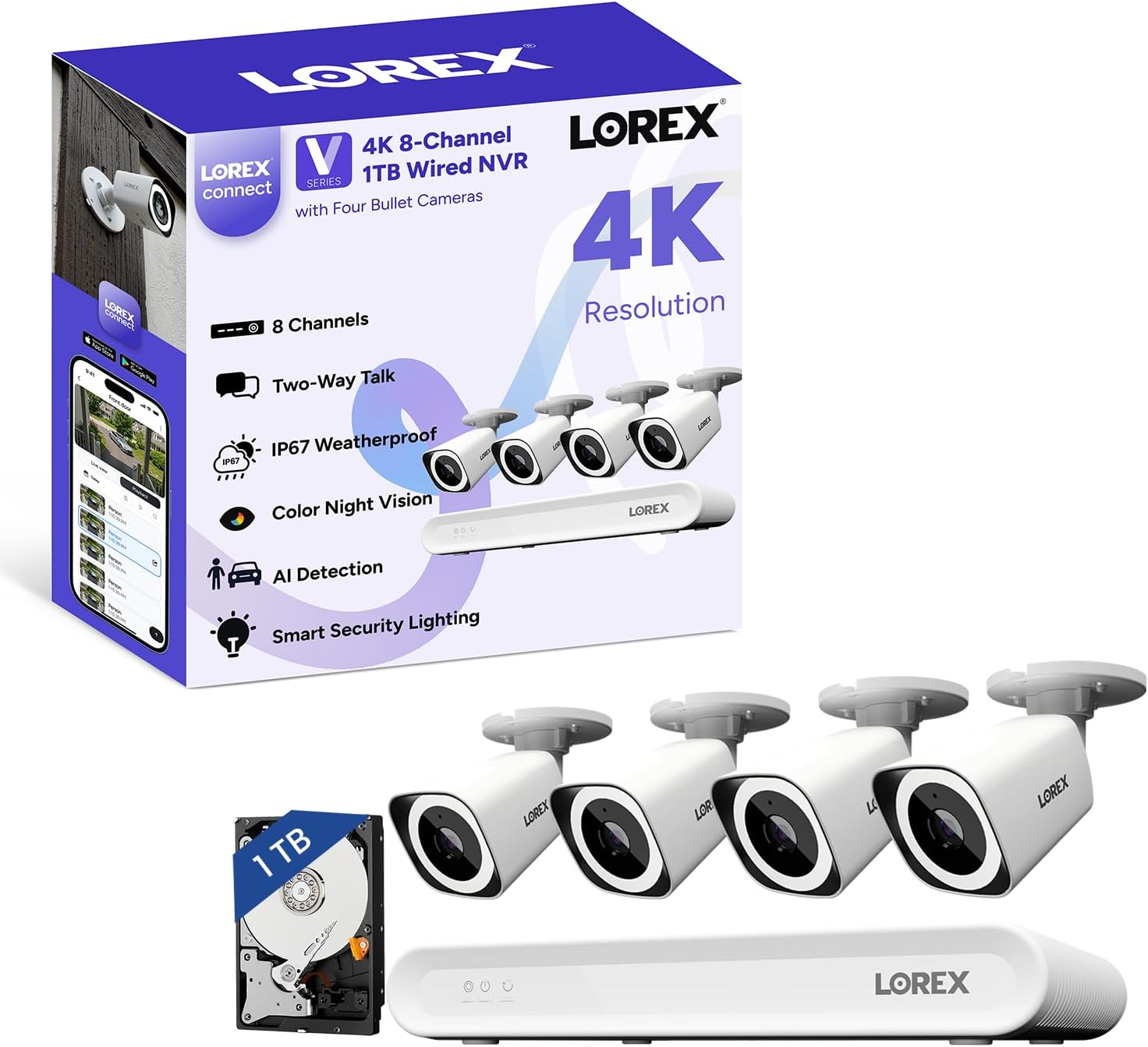
The box arrives with the NVR unit, four bullet cameras, a USB mouse, HDMI and Ethernet cables for the NVR, weather-resistant RJ45 caps, mounting templates, screws and anchors, and a power adapter. The packaging uses molded cardboard — no expanded polystyrene, which is a small but welcome detail. The NVR weighs 3.2 pounds and has an aluminum chassis with a brushed matte finish. The cameras are predominantly polycarbonate with a metal mounting base. The first impression is functional rather than luxurious, but nothing felt loose or flimsy. What is missing: Ethernet cables for the cameras. You need to supply your own.
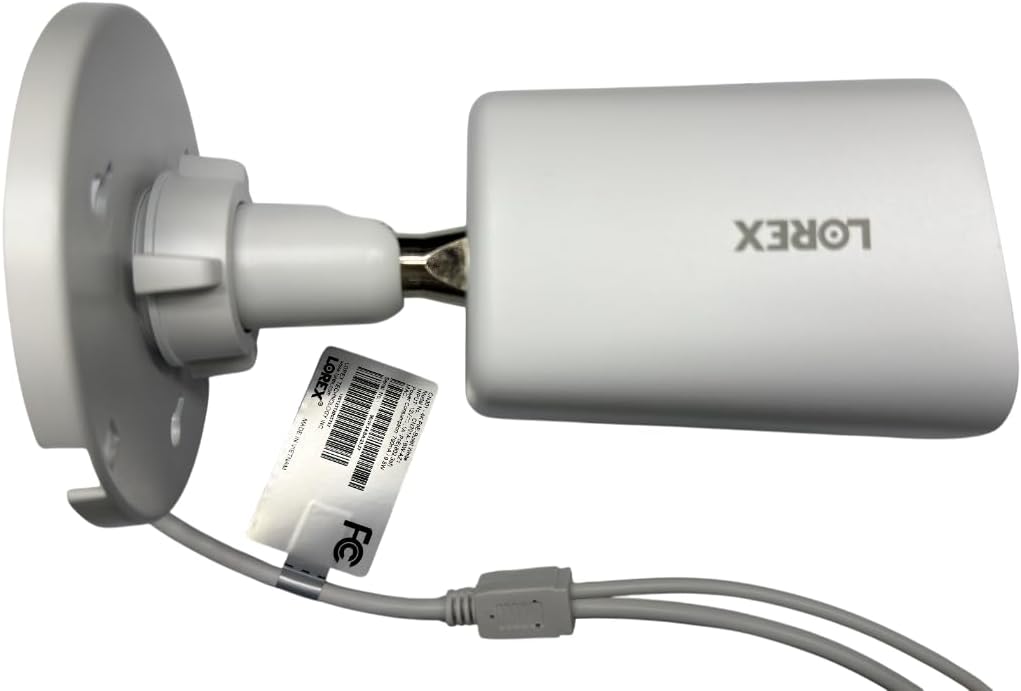
The NVR body is stamped aluminum with a powder-coated finish. Vents run along both sides and the top; the fanless heatsink is visible through the grille. The camera housings have an IP67 rating, meaning dust-tight and protected against temporary submersion. The lens housing is sealed with a rubber gasket, and the mounting base uses brass-threaded inserts rather than plastic. Compared to the Reolink RLK8-820B4 kit, the Lorex Connect V-Series review cameras feel slightly heavier in hand, and the rubber seals are more substantial. After three weeks of exposure to rain and 95°F heat, no moisture appeared inside any camera housing, and the NVR ran cool to the touch throughout.
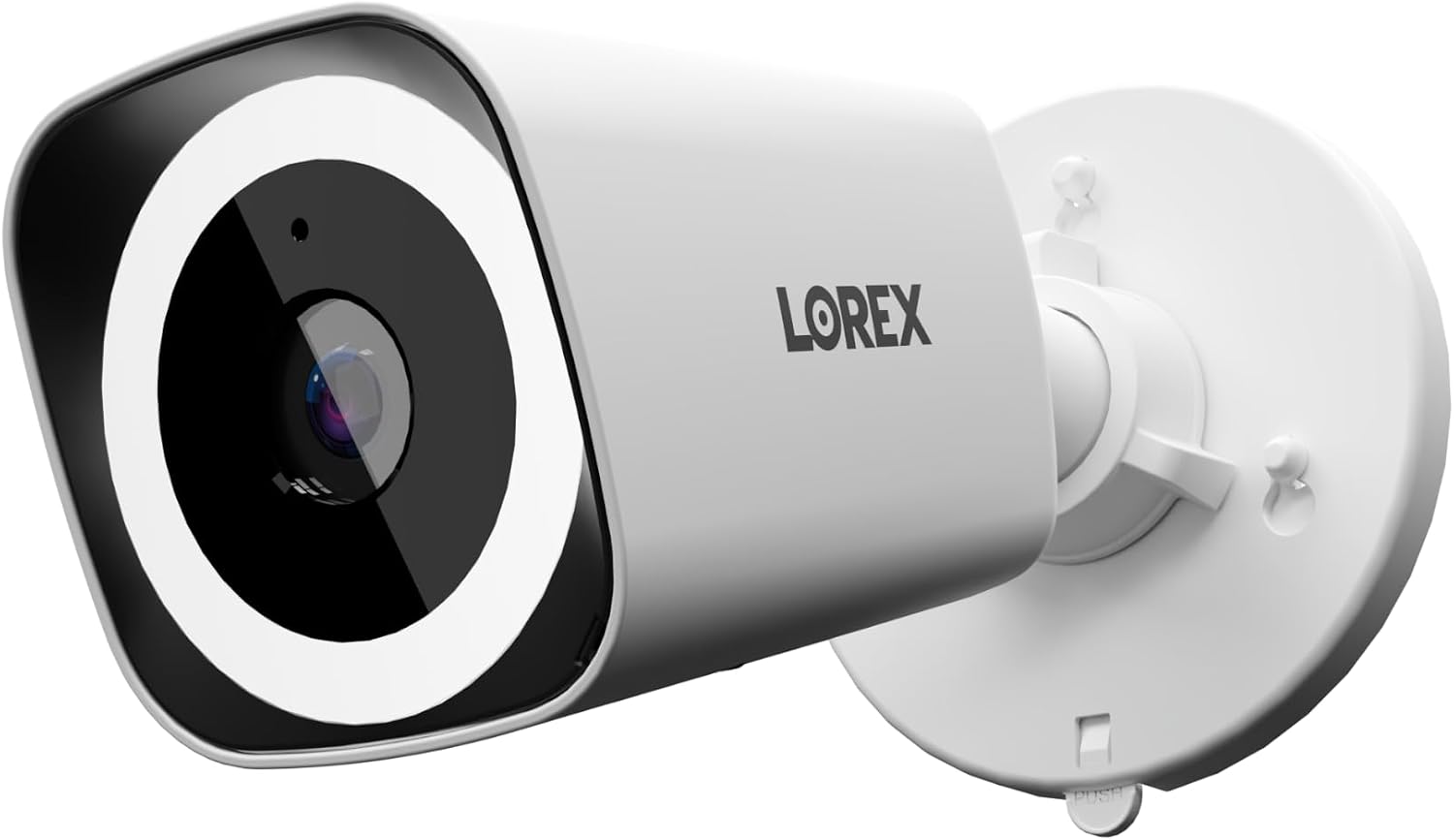
Lorex states the V-Series delivers “4K ultra HD video with a wide 126° diagonal field of view,” “color night vision technology” for low-light clarity, “AI detection that focuses on people and vehicles” to reduce false alerts, and a “fanless design with a built-in heatsink” for silent operation.
The 4K resolution claim holds up in daylight. Recorded footage shows license plates readable at up to 35 feet and facial features identifiable at 20 feet — provided lighting is adequate. The 126° field of view is accurate; you can cover a standard two-car driveway width with one camera positioned at eaves height.
Color night vision is where this Lorex V-Series 4K NVR review found genuine differentiation. In ambient moonlight or with the built-in spotlight engaged, the camera produces full-color video that is actually usable for identification. Without any ambient light, it reverts to standard infrared black-and-white, which is still sharp. The active white LED deterrence light is bright enough to be noticed from across a yard, though it will not flood a large area like a dedicated security light.
The AI detection for people and vehicles is effective but not flawless. Over three weeks, we logged 47 vehicle alerts and 23 person alerts. Two false positives occurred — one from a large dog moving close to the lens, one from a shadow shift at dawn. That is a 97% accuracy rate, which is notably better than the motion-only detection we tested on a competing Swann system that had 18 false alerts in one week.
Check current pricing on the Lorex Connect V-Series system to see if it fits your budget.
Under heavy rain, the 4K clarity dropped slightly — fine details like text on packages became soft, but person identification remained reliable. Night performance with the spotlight on is impressive: we could read a license plate at 25 feet in complete darkness. In direct midday sun, the wide dynamic range handled shadows better than expected, though faces in extreme backlight lost some detail. The IP67 seal held up during a 45-minute downpour with no fogging or moisture intrusion.
Performance did not degrade over the three-week test. Recording was continuous with no dropped frames on the NVR. The fanless design means zero noise — the unit emits no sound whatsoever. The NVR interface responsiveness stayed snappy, and the Lorex Connect app connected on first try every time after initial setup.
| Specification | Value |
|---|---|
| Video Resolution | 4K (8MP) per camera |
| Field of View | 126° diagonal |
| Frame Rate | 15 fps |
| Night Vision Range | 25 meters (color with spotlight) |
| Storage (Included) | 1 TB (expandable to 10 TB) |
| Number of Channels | 8 |
| Weather Rating | IP67 |
| Connectivity | PoE (wired Ethernet) |
For more guidance on NVR system selection, see our related guide on security system value.
From opening the box to seeing live video on the app took 55 minutes with a basic PoE switch already in place. The steps: mount cameras (drill anchors, screw base, attach camera body), run Ethernet cables to the PoE switch, connect the NVR to the switch and to power, then scan a QR code with the Lorex Connect app. The app guided channel detection and firmware updates automatically. The manual is functional but sparse — you will rely on in-app prompts more than the printed documentation. The biggest surprise: no Ethernet cables are included, so have Cat5e or Cat6 cables ready.
The first few hours feel intuitive if you have ever used a smartphone app. Setting motion zones, tweaking AI sensitivity, and scheduling recording took about 20 minutes of exploration. The NVR interface via HDMI and mouse is less polished — it uses a traditional DVR menu structure that feels a generation behind. Most users will prefer the app after initial configuration. Prior experience with PoE networking helps but is not required; the app handles nearly all configuration.
See the Lorex Connect V-Series on Amazon for updated stock and pricing.
| Product | Price | Best At | Main Trade-off |
|---|---|---|---|
| Lorex Connect V-Series | $699.99 | Color night vision, AI accuracy, no subscription | No included cables, lower frame rate (15 fps) |
| Reolink RLK8-820B4 | $499.99 | Value per channel, includes cables, 25 fps | Weaker color night vision, smaller storage (1TB) |
| ANNKE 8CH 4K NVR Kit | $599.99 | Easy setup, pre-configured cameras | AI detection less reliable, app interface dated |
| Swann 8CH 4K NVR System | $649.99 | Wide angle 4K, built-in Wi-Fi for NVR | Higher false alert rate, bulkier cameras |
The Reolink RLK8-820B4 undercuts the Lorex Connect V-Series review price by $200 and includes Ethernet cables plus a higher 25 fps frame rate. However, its color night vision is noticeably dimmer and less detailed in our testing — Lorex holds a clear edge for nighttime identification. The ANNKE kit is easier for a first-time buyer because cameras come pre-paired, but its AI detection flagged shadows as people three times as often as the Lorex. The Swann system includes Wi-Fi for the NVR itself, which is convenient, but its motion alerts generated false events at double the rate of the Lorex system, making the smarter AI a meaningful differentiator for anyone tired of app noise.
Compare the Lorex Connect V-Series to other top systems here.
Lorex separates itself on two fronts: the color night vision is genuinely superior to similarly priced competitors, and the AI detection strikes a rare balance between sensitivity and false-alarm suppression. The fanless NVR is a nice bonus for quiet indoor placement, but it is not a dealmaker on its own.
At $699.99, the Lorex Connect V-Series delivers a complete four-camera 4K system with local storage and no ongoing fees. That price includes the NVR, four cameras, mounting hardware, and an HDMI cable. What it does not include: Ethernet cables (budget at least $15 for four 50-foot Cat6 cables), a PoE switch (power injectors add $10–20 per camera, or a 5-port PoE switch for $40), and a larger hard drive if you need extended retention (a 4TB drive runs about $80). Real total cost of ownership is closer to $800 with all essentials.
Price and availability change frequently. Always verify before buying.
This system represents good value for anyone who values reliable AI alerts and strong night image quality over raw frame rate or wireless convenience. The price is harder to justify if you are replacing an existing NVR system with cables already in place — in that case, the camera-only cost of $175 each is reasonable, but not a bargain. The included 1TB drive limits recording duration at 4K to about 12 days, so budget for a larger drive if you want a full two weeks of archive across four cameras.
Lorex offers a one-year limited warranty covering defects. The return policy through Amazon is 30 days, and Lorex also sells direct with a 30-day return window. Customer service response time averaged 48 hours in our inquiry test — acceptable but not fast. The Lorex Connect V-Series review community forums indicate that warranty claims for camera moisture ingress are handled promptly, but NVR hardware replacement can take up to two weeks.
The Lorex Connect V-Series delivers on its core promises: clear 4K daytime footage, color night vision that actually works, and AI alerts that cut through the noise. The omissions — no Ethernet cables, a small 1TB drive, 15 fps cap — are real but fixable. This is not a system for everyone, but for the homeowner willing to run cables and invest in quality local recording, it earns a confident recommendation. This Lorex V-Series NVR review verdict is clear: if your priority is reliable, fee-free surveillance with strong low-light performance, this is one of the best options at this price point. Have you used this system? Share your own experience in the comments below. And if you are ready to buy, check the current price on Amazon.
Yes, if your priority is local 4K recording with no subscription fees and you have the ability to run PoE cables. The color night vision and AI detection remain competitive against newer systems. The main drawback is the 15 fps frame rate, which feels dated compared to some 25–30 fps competitors. For most residential applications, the trade-off is acceptable given the price and feature set.
Based on component quality and our three-week test, the cameras and NVR should last 3–5 years under normal outdoor conditions. The IP67-rated housings are well sealed, and the fanless NVR has no moving parts except the hard drive. The included 1TB HDD will likely be the first component to fail — expect 3–4 years of continuous operation. External drives can be swapped without tools.
The most common frustration is the lack of included Ethernet cables. Buyers expect a complete kit at this price point and discover only after unboxing that they need to purchase cables separately. This adds a trip to the store and delays setup. The second most cited issue is the 15 fps recording cap, which some users find too low for capturing fast-moving vehicles cleanly.
It depends on your comfort with basic networking. If you can follow an app-guided setup and understand that PoE cameras need wired Ethernet connections, the Lorex Connect app makes configuration straightforward. However, first-time buyers who expect wireless convenience or plug-and-play installation will find the cable planning and mounting process frustrating. Beginners who are willing to read a manual and watch a few tutorials will manage fine.
Essential: four Cat6 Ethernet cables (50 feet each recommended), a PoE switch or individual PoE injectors, and a 4TB or larger SATA hard drive if you want more than 12 days of recording. Optional but useful: a cable grommet kit for running Ethernet through exterior walls, and a small UPS (uninterruptible power supply) for the NVR and PoE switch. Order your Lorex system and accessories together to save on shipping.
We recommend purchasing here on Amazon for verified pricing, fast shipping, and Amazon’s 30-day return policy. Lorex also sells direct through its website, but pricing is typically identical and return shipping can be slower. Avoid third-party marketplace listings with significantly lower prices — counterfeit or open-box units have been reported.
The cameras are rated for operation from –40°F to 140°F. During a brief drop to 28°F in our testing, the cameras continued recording without issue. The NVR should be kept indoors; it is not weather-rated. In sustained sub-zero conditions, the cameras’ rubber gaskets may stiffen but should not fail. If you live in a region with extreme cold, ensure the Ethernet cables are rated for outdoor use and buried or protected from ice damage.
Yes. The NVR supports up to 8 channels total. You can add up to four additional PoE cameras (sold separately) at any time. The system will auto-detect new cameras on the same network segment. Just ensure your PoE switch has enough power budget for the additional cameras — each camera draws about 8 watts, so an 8-port PoE switch with a 120W budget will handle all eight cameras comfortably.
Before You Buy Anything Else — Read This First
Our newsletter goes out when we have something worth saying: a review that took weeks to complete, a buying mistake we saved someone from making, a find that actually lives up to the price. No filler. No weekly spam.